
Introduction
[IMAGE: A sales rep manually typing contact details into a CRM on a laptop at a desk, looking mildly frustrated - search terms: "sales person typing laptop office desk data entry"]
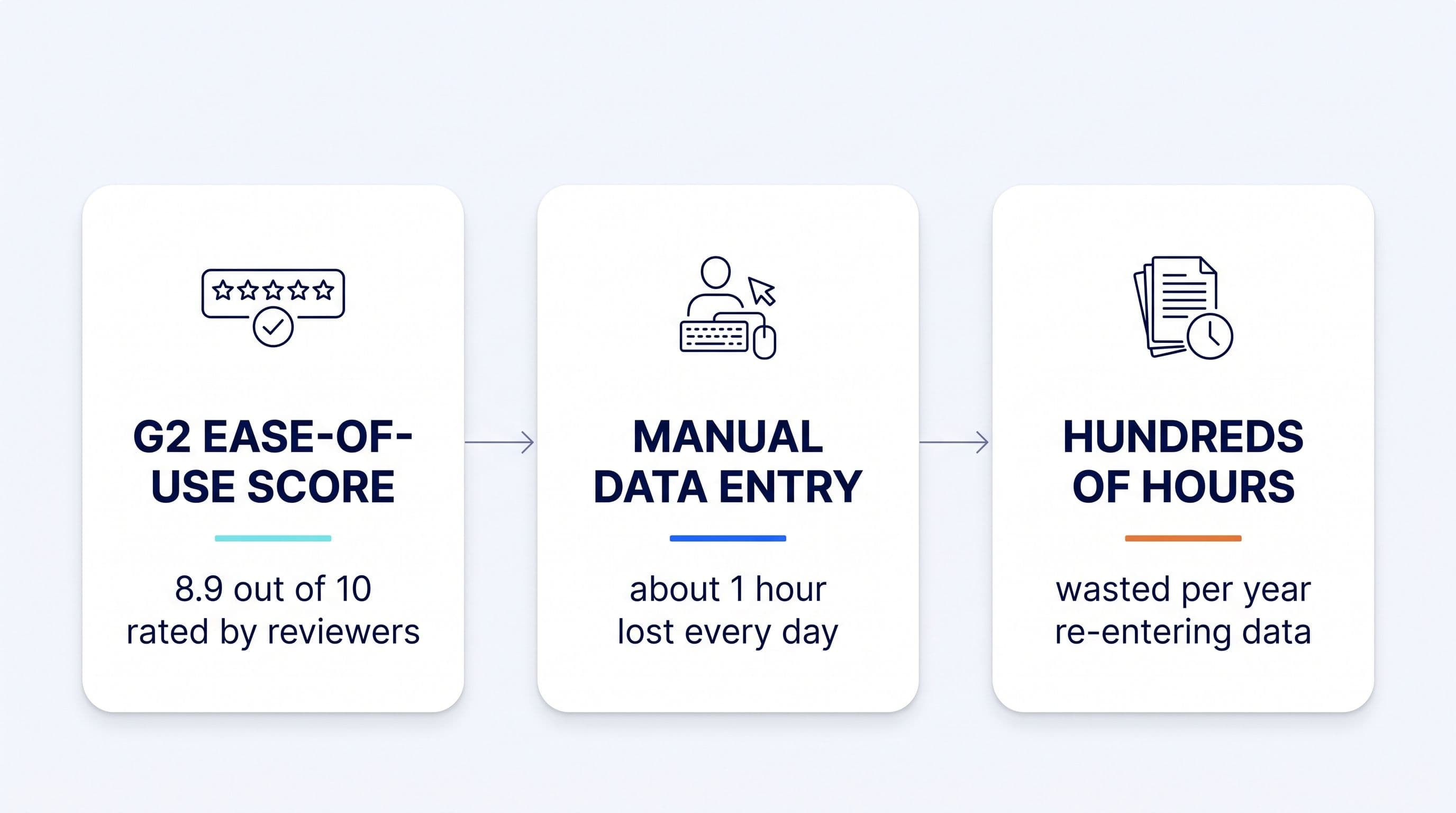
Pipedrive's own homepage calls it "the easy and effective CRM for closing deals" (pipedrive.com), and the review sites back that up: G2's aggregated review summary puts its Ease of Use score at approximately 8.9 out of 10 (G2), and Capterra, verified directly, rates it 4.5 out of 5 across more than 3,000 reviews (Capterra). Nobody is disputing that Pipedrive is easy to click around in.
But read past the star rating and into the actual review text, and a different word shows up again and again: manual. Manual logging. Manual entry. Manually attaching a document that was created somewhere else. The same reviewers who call Pipedrive easy also describe spending real time each week typing information into it by hand.
That gap between "easy to use" and "does the work for you" is worth pausing on before you buy any CRM, not just Pipedrive. It's also the exact question this article's parent guide is built to answer in our full breakeven framework for CRM ROI, which walks through how to put a dollar figure on the hours a CRM asks you to spend feeding it.
Key takeaways
- Pipedrive's ease-of-use scores are genuinely high: approximately 8.9/10 on G2 (per G2's aggregated summary) and a verified 4.5/5 on Capterra, so the reputation isn't marketing spin.
- G2's own pros-and-cons summary, two independently dated Capterra reviews, and a separate Trustpilot aggregate all name manual activity and email logging as a recurring friction point.
- "Easy to use" measures interface friction. It says nothing about who does the labor of getting data into the record in the first place.
- Industry data from HubSpot puts admin work, including manual logging, at about an hour a day per rep, and Salesforce's research shows reps spend only 40% of the workday actually selling, time a solo owner-seller doesn't have spare.
- What matters when buying is how much of the data entry a CRM removes from your day, not how nice the interface feels to click around in.
Is Pipedrive actually an easy CRM?
Yes. Pipedrive earns its ease-of-use reputation on the numbers that measure it. G2's aggregated review summary puts the product at approximately 4.3 out of 5 overall from roughly 2,968 reviews, with an Ease of Use sub-score of about 8.9 out of 10, one of the highest individual attributes in its review profile (G2); these G2 figures come from an aggregated summary and have not been independently re-verified against the live page. Capterra, verified directly, shows the same pattern: 4.5 out of 5 across 3,058 reviews, with 93% of that feedback rated positive and only 2% negative (Capterra).
Pipedrive's own homepage leans directly into this strength, positioning the product as "the easy and effective CRM for closing deals" (pipedrive.com). That's an accurate claim about the interface. The pipeline view is visual, the fields are simple, and a new rep can find their way around it in an afternoon.
The claim isn't false. But "easy" and "automatic" get treated as the same promise, and they aren't the same thing. An interface can be easy to navigate and still require a person to manually populate it every time a call happens, an email goes out, or a quote gets sent. That distinction is where the rest of this article lives.
What do Pipedrive reviews say about data entry?
Underneath the high ease-of-use scores, manual logging shows up as a specific, recurring complaint, and it surfaces independently on three unrelated review sites rather than in one isolated corner of the internet.
G2's own aggregated pros-and-cons summary for Pipedrive names manual activity and email logging as a recurring time sink that pulls reps away from selling (G2). G2 surfaces this as a pattern across the aggregate, not a complaint from one disgruntled reviewer.
Capterra's individual, dated reviews get more specific about what that time loss looks like. One reviewer, a COO and Dealflow Manager who otherwise rated the product 4 out of 5 stars, wrote plainly: "The biggest issue is manual work. I had to manually input everything and this became [a huge issue]" (Capterra, review dated May 6, 2018). A second reviewer, a Project Manager also giving 4 out of 5 stars, described a specific workaround the tool forces: "You are not able to send quotes through the app, you have to create the quote and send it through the email and then attach it to the lead on Pipedrive, it makes the process longer and tedious" (Capterra, Mela S., dated Feb. 1, 2018). Both reviews are older, so treat them as evidence of a long-standing pattern rather than a fresh complaint. But the same friction point, work created outside the CRM having to be manually reattached inside it, is the kind of gap that doesn't tend to close through interface polish alone.
Trustpilot, a review site with no relationship to G2 or Capterra, confirms the pattern independently: a solid 4-star rating across more than 3,400 reviews, with individual reviewers reporting frustration when "the proposal workflow and deal tracking resulted in additional manual work" (Trustpilot). The same complaint turns up on three separate review sites, each with its own independent reviewer pool.
The complaint isn't universal
It would overstate the case to say every Pipedrive user fights manual entry. Some reviewers report the opposite experience. One Capterra review put it this way: "I don't have to spend hours entering data, yet still get my pipeline, reports, reminders, and everything important about my customers and prospects" (Capterra). The evidence doesn't show Pipedrive failing at data entry for everyone. Outcomes split along a specific line: reviewers who set up smart contact fields and workflow rules and stay disciplined about using them report less friction, while reviewers relying on the base workflow describe the entry work as a recurring drag on their week.
Why does an "easy" CRM still require so much manual entry?
Because "easy" was never a promise to remove the human from the loop. Ease of use measures how much friction a person feels while doing a task inside the software, not whether the software does the task instead of them. Pipedrive was built to make typing in a deal, a contact, or a note feel fast and intuitive. It wasn't built to capture that information without a rep typing it at all.
Pipedrive does offer some genuine time-savers on top of the base workflow: a smart contact data feature that can pull certain fields from public sources, and workflow rules that move deals between pipeline stages once conditions are met. Reviewers still flag gaps in the more advanced version of this, particularly around lead scoring and behavior-triggered workflows, as areas the tool hasn't fully closed.
None of that changes the core mechanism for the activity reviewers complain about most: someone still has to log that a call happened, by hand, before it shows up in the record. That's the dividing line for evaluating any CRM: does it enter data for you, or does it just make entering that data yourself a little less painful?
How many hours does manual CRM data entry cost?
About an hour a day per rep, based on HubSpot's most direct estimate, with a second, independently sourced figure from Salesforce reinforcing the scale of the problem even though it isn't measured in the same units.
HubSpot's own sales statistics roundup, last updated February 24, 2026, found that reps spend roughly an hour a day on administrative tasks, compared with about two hours a day on active selling (HubSpot). That's the most direct admin-time figure available, and it points to a daily habit rather than an occasional chore.
Salesforce's State of Sales report, published February 3, 2026 from a survey of 4,050 sales professionals across 22 countries fielded in August and September 2025, comes at the same problem from a different angle: the average rep spends only 40% of work time actually selling, and Gen Z reps specifically spend just 35%, losing about two hours a week to administrative tasks including manual data entry (Salesforce). That's a weekly figure, not a daily one, but it points in the same direction as HubSpot's number: a meaningful share of the week goes to admin instead of selling.
With a dedicated operations hire, a team can absorb that hour of admin work a day somewhere else in the org chart. As a solo owner-seller, you have no one else to absorb it for you. Every hour you spend logging an activity by hand is an hour you don't spend on outreach or follow-up. That's precisely the hidden cost the breakeven framework in our guide to CRM ROI for solo owner-sellers is built to quantify, using the breakeven formula: subscription cost plus the hours you lose to admin, measured against what a tool that removes the entry work would actually save.
| Site | Rating | Review count |
|---|---|---|
| G2 (aggregated summary, approximate) | ~4.3/5 overall (Ease of Use: ~8.9/10) | ~2,968 |
| Capterra (verified direct) | 4.5/5 | 3,058 |
| Trustpilot (aggregated summary) | 4-star | 3,400+ |
G2 figures above are drawn from an aggregated review summary and have not been independently re-verified against the live G2 page; Capterra figures were confirmed by direct page fetch.
[CHART: Bar chart comparing Pipedrive's aggregate review scores across three independent sites - G2 4.3/5 (2,968 reviews, aggregated summary), Capterra 4.5/5 (3,058 reviews, verified), Trustpilot 4-star (3,400+ reviews) - Source: G2, Capterra, Trustpilot, retrieved August 2026]
Is Pipedrive worth the manual data entry effort?
It depends on how your business is structured. For a team with a straightforward pipeline and someone who has the bandwidth to log activity consistently, the answer is often yes: Pipedrive's interface is fast, the learning curve is short, and a team can spread the manual entry cost across more than one person's day.
If you're a solo owner-seller, the math looks different. Every hour you spend on manual logging is an hour you don't spend selling, and you have no colleague to hand the admin work to. In that situation, the ease-of-use benefit that makes Pipedrive attractive on paper doesn't offset the compounding cost of typing your own data in, week after week. Judge any CRM, Pipedrive included, by how much of the record-keeping still lands on you, not by how pleasant the interface feels.
What does a CRM that enters data for you look like?
It looks like Klipy's CRM Administrator: a CRM that fills itself by pulling contact and interaction data from outside sources instead of waiting for a rep to type it in. Klipy's CRM Administrator enriches new contact profiles from more than 100 sources within seconds of creation, and separately, it captures calls, emails, and messages as interactions the moment they happen, so the record updates the same day something happens rather than whenever someone finds time to log it.
That's a direct answer to the specific friction points reviewers named. Where Pipedrive reviewers describe manually logging calls and emails, Klipy's CRM Administrator captures that activity as it happens through interaction capture. Where a Capterra reviewer described manually reattaching a quote created outside the app, the same principle applies more broadly: work that happens in another tool shouldn't require a second manual step to land in the deal record. That same principle is why owner-sellers also use Klipy to keep renewal follow-ups on an already-won account from falling through the cracks after the deal closes.
Klipy's CRM Administrator doesn't compete with Pipedrive on interface polish. It replaces the manual logging that even Pipedrive's best reviews still describe as a weekly grind, capturing activity the moment it happens instead of waiting for someone to type it in later. That capture is strictly one-directional: Klipy reads and organizes what already happened across your channels so the record stays current.
Klipy cannot send. Not on any plan, not in any mode, not by mistake. The CRM Administrator logs and fills in what already happened; it never originates a message on a rep's behalf.
How should you evaluate a CRM's ease of use?
Ask one question before any demo: does the tool log the activity itself, or do you still have to type it in by hand? Everything else, like pipeline views and integration count, is secondary to that single distinction if you want to save hours, not just get a nicer interface to type into.
A short checklist for judging any CRM on this axis, Pipedrive included:
- Who logs the call and the email: you, or the software? If the answer is "a rep, by hand," the ease-of-use score is measuring the wrong thing.
- What happens to work created outside the CRM? A quote built in email or a doc built somewhere else shouldn't need a second manual step to land in the deal record.
- How many hours a week does that logging cost? At about an hour a day, per HubSpot's data above, that's roughly five hours a week you don't spend selling, and Salesforce's research shows admin work like this is a real factor in why the average rep spends only 40% of the workday actually selling.
- Who absorbs that cost? A team can spread it across reps and an ops hire. A solo owner-seller absorbs all of it personally.
Pipedrive earns its ease-of-use reputation honestly. The reviews above show the fair second half of that reputation too: an easy interface still asks a person to do the typing. Whether that trade-off is worth it depends on whether there's anyone else around to do the typing for you, which is exactly the calculation our breakeven framework for CRM ROI is built to run.